commands Configuration OptionUptime Args RefreshRateWeather StationID Args RefreshRateNetwork Interface Args RefreshRateDynNetwork Args RefreshRateWireless Interface Args RefreshRateMemory Args RefreshRateSwap Args RefreshRateCpu Args RefreshRateMultiCpu Args RefreshRateBattery Args RefreshRateBatteryP Dirs Args RefreshRateBatteryN Dirs Args RefreshRate AliasTopProc Args RefreshRateTopMem Args RefreshRateDiskU Disks Args RefreshRateDiskIO Disks Args RefreshRateThermalZone Number Args RefreshRateCpuFreq Args RefreshRateCoreTemp Args RefreshRateVolume Mixer Element Args RefreshRateMPD Args RefreshRateMpris1 PlayerName Args RefreshRateMpris2 PlayerName Args RefreshRateMail Args AliasMBox Mboxes Opts AliasXPropertyLog PropNameUnsafeXPropertyLog PropNameNamedXPropertyLog PropName AliasNamedXPropertyLog PropName AliasBrightness Args RefreshRateKbd OptsLocksCatInt n filenameUVMeterxmobar is a minimalistic, mostly text based, status bar. It was originally designed and implemented by Andrea Rossato to work with xmonad, but it's actually usable with any window-manager.
xmobar was inspired by the Ion3 status bar, and supports similar features, like dynamic color management, icons, output templates, and extensibility through plugins.
This page documents xmobar 0.24.5 (see release notes).
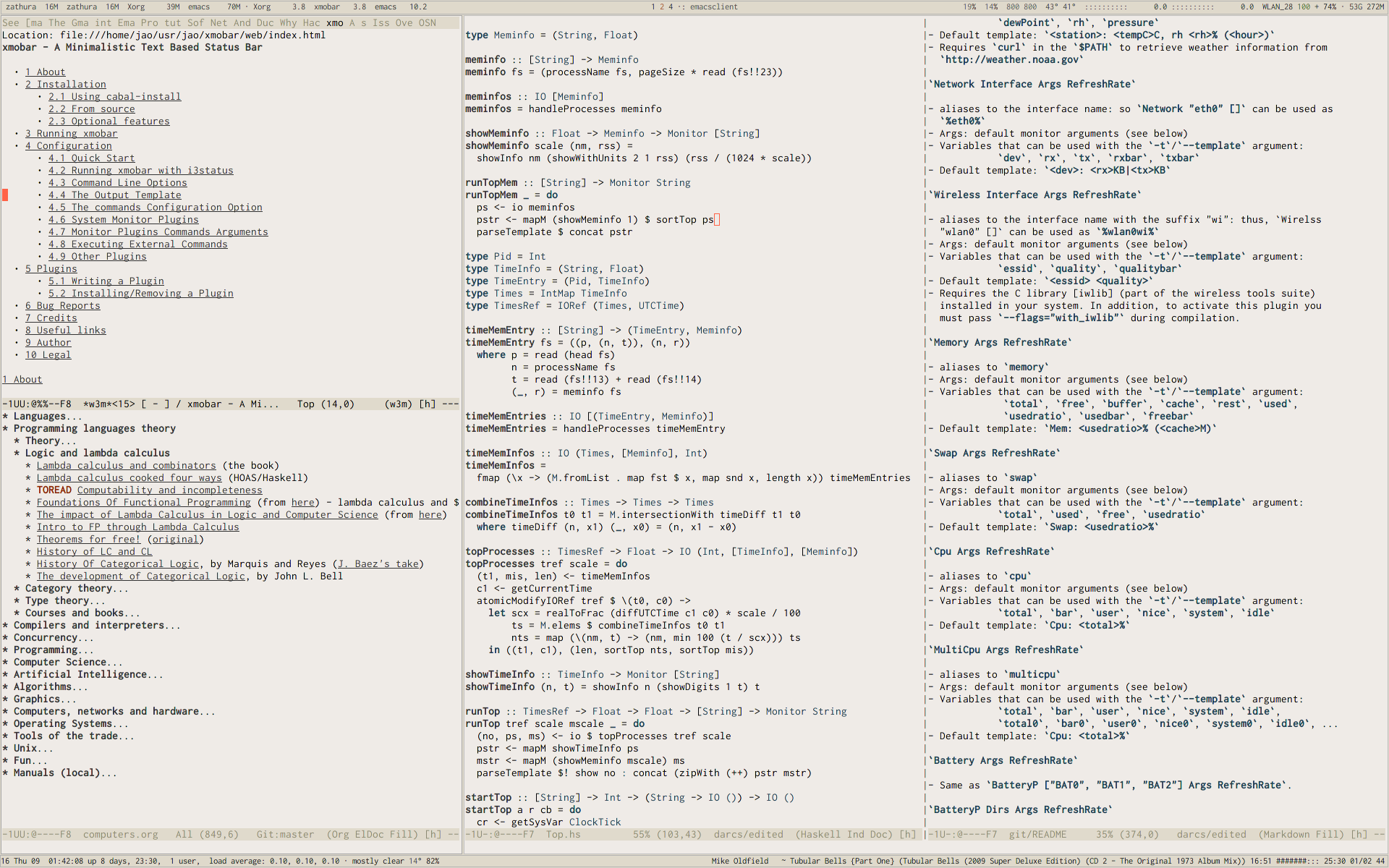
This screenshot shows xmobar running under sawfish, with antialiased fonts. And this one is my desktop with xmonad and two instances of xmobar.
To submit bug reports you can use the bug tracker over at Github or send mail to our Mailing list.
Note: the old bug tracker at Google code is deprecated. Please use Github's for new bugs.
Xmobar is available from Hackage, and you can install it using cabal-install:
cabal install xmobarSee below for a list of optional compilation flags that will enable some optional plugins. For instance, to install xmobar with all the bells and whistles, use:
cabal install xmobar --flags="all_extensions"If you don't have cabal-install installed, you can get xmobar's source code in a variety of ways:
From the bleeding edge repo. If you prefer to live dangerously, just get the latest and greatest (and buggiest, I guess) using git:
git clone git://github.com/jaor/xmobarIf you have cabal installed, you can now use it from within xmobar's source tree:
cabal install -fall_extensionsOtherwise, run the configure script:
    runhaskell Setup.lhs configure

    # To enable UTF-8 support run:
    runhaskell Setup.lhs configure --flags="with_utf8"

    # To enable both XFT and UTF-8 support run:
    runhaskell Setup.lhs configure --flags="with_xft"

    # To enable all extensions
    runhaskell Setup.lhs configure --flags="all_extensions"
Now you can build the source:
    runhaskell Setup.lhs build
runhaskell Setup.lhs install # possibly to be run as rootYou can configure xmobar to include some optional plugins and features, which are not compiled by default. To that end, you need to add one or more flags to either the cabal install command or the configure setup step, as shown in the examples above.
Extensions need additional libraries (listed below) that will be automatically downloaded and installed if you're using cabal install. Otherwise, you'll need to install them yourself.
with_dbuswith_threadedwith_utf8with_xftAntialiased fonts. Requires the X11-xft package. This option automatically enables UTF-8.
To use XFT fonts you need to use the xft: prefix in the font configuration option. For instance:
font = "xft:Times New Roman-10:italic"Or to have fallback fonts, just separate them by commas:
font = "xft:Open Sans:size=9,WenQuanYi Zen Hei:size=9"with_mpdwith_mpriswith_inotifywith_iwliblibiw-dev in Debian-based systems or wireless_tools on Arch Linux).
with_alsalibasound2-dev in Debian-based systems).
with_datezonewith_xpm<icon>. Requires the libXpm C library.
with_uvmeterwith_conduitall_extensionsYou can now run xmobar with:
xmobar /path/to/config &or
xmobar &if you have the default configuration file saved as $XDG\_CONFIG\_HOME/xmobar/xmobarrc (defaulting to ~/.config/xmobar/xmobarrc), or ~/.xmobarrc.
Since 0.14 xmobar reacts to SIGUSR1 and SIGUSR2:
After receiving SIGUSR1 xmobar moves its position to the next screen.
After receiving SIGUSR2 xmobar repositions itself on the current screen.
See samples/xmobar.config for an example.
For the output template:
%command% will execute command and print the output. The output may contain markups to change the characters' color.
<fc=#FF0000>string</fc> will print string with #FF0000 color (red).
<fn=1>string</fn> will print string with the first font from additionalFonts. The index 0 corresponds to the standard font.
<icon=/path/to/icon.xbm/> will insert the given bitmap. XPM image format is also supported when compiled with --flags="with_xpm".
<action=`command` button=12345> will execute given command when clicked with specified buttons. If not specified, button is equal to 1 (left mouse button). Using old syntax (without backticks surrounding command) will result in button attribute being ignored.
<raw=len:str/> allows the encapsulation of arbitrary text str (which must be len Chars long, where len is encoded as a decimal sequence). Careful use of this and UnsafeStdinReader, for example, permits window managers to feed xmobar strings with <action> tags mixed with un-trusted content (e.g. window titles). For example, if xmobar is invoked as
xmobar -c "[Run UnsafeStdinReader]" -t "%UnsafeStdinReader%"
and receives on standard input the line
```<action=`echo test` button=1><raw=41:<action=`echo mooo` button=1>foo</action>/></action>```then it will display the text <action=`echo mooo` button=1>foo</action>, which, when clicked, will cause test to be echoed.
Other configuration options:
fontxft: prefix for XFT fonts.
additionalFontsfn-template. Use the xft: prefix for XFT fonts.
bgColorfgColoralphapositionTopP and BottomP take 2 arguments: left padding and right padding.
TopW and BottomW take 2 arguments: an alignment parameter (L for left, C for centered, R for Right) and an integer for the percentage width xmobar window will have in respect to the screen width.
TopSize and BottomSize take 3 arguments: an alignment parameter, an integer for the percentage width, and an integer for the minimum pixel height that the xmobar window will have.
For example:
position = BottomW C 75to place xmobar at the bottom, centered with the 75% of the screen width.
Or:
position = BottomP 120 0to place xmobar at the bottom, with 120 pixel indent of the left.
position = Static { xpos = 0 , ypos = 0, width = 1024, height = 15 }or
position = ToptextOffseticonOffsetlowerOnStarthideOnStartallDesktops_NET_WM_DESKTOP to 0xffffffff.
overrideRedirectFalse so that it behaves as a docked application. Defaults to True.
pickBroadestTrue (the default is False) it will choose the broadest one instead.
persistentborderTopB, BottomB, FullB take no arguments, and request drawing a border at the top, bottom or around xmobar's window, respectively.
TopBM, BottomBM, FullBM take an integer argument, which is the margin, in pixels, between the border of the window and the drawn border.
borderColorborderWidthiconRoot"/", "./" or "../" it is interpreted as it is. Otherwise it will have iconRoot ++ "/" prepended to it. Default is ".".
commandssepCharalignSeptemplatexmobar can be used to display information generated by i3status, a small program that gathers system information and outputs it in formats suitable for being displayed by the dzen2 status bar, wmii's status bar or xmobar's StdinReader. See i3status manual for further details.
xmobar can be either configured with a configuration file or with command line options. In the second case, the command line options will overwrite the corresponding options set in the configuration file.
Example:
xmobar -B white -a right -F blue -t '%LIPB%' -c '[Run Weather "LIPB" [] 36000]'This is the list of command line options (the output of xmobar --help):
Usage: xmobar [OPTION...] [FILE]
Options:
  -h, -?        --help                 This help
  -V            --version              Show version information
  -f font name  --font=font name       The font name
  -B bg color   --bgcolor=bg color     The background color. Default black
  -F fg color   --fgcolor=fg color     The foreground color. Default grey
  -A alpha      --alpha=alpha          The transparency: 0 is transparent, 255 (the default) is opaque
  -o            --top                  Place xmobar at the top of the screen
  -b            --bottom               Place xmobar at the bottom of the screen
  -p            --position=position    Specify position, same as in config file
  -d            --dock                 Try to start xmobar as a dock
  -a alignsep   --alignsep=alignsep    Separators for left, center and right text
                                       alignment. Default: '}{'
  -s char       --sepchar=char         The character used to separate commands in
                                       the output template. Default '%'
  -t template   --template=template    The output template
  -i path       --iconroot=path        Default directory for icon pattern files
  -c commands   --commands=commands    The list of commands to be executed
  -C command    --add-command=command  Add to the list of commands to be executed
  -x screen     --screen=screen        On which X screen number to start

Mail bug reports and suggestions to <xmobar@projects.haskell.org>When compiled with the optional with_dbus flag, xmobar can be controlled over dbus. All signals defined in src/Signal.hs as data SignalType can now be sent over dbus to xmobar. Due to current limitations of the implementation only one process of xmobar can acquire the dbus. This is handled on a first-come-first-served basis, meaning that the first process will get the dbus interface. Other processes will run without further problems, yet have no dbus interface.
org.Xmobar.Control/org/Xmobar/Controlstring:Revealorg.Xmobar.ControlAn example using the dbus-send command line utility:
    dbus-send \
        --session \
        --dest=org.Xmobar.Control \
        --type=method_call \
        --print-reply \
        '/org/Xmobar/Control' \
        org.Xmobar.Control.SendSignal \
        "string:Toggle 0"
It is also possible to send multiple signals at once:
    # send to another screen, reveal and toggle the persistent flag
    dbus-send [..] \
        "string:ChangeScreen 0" "string:Reveal 0" "string:TogglePersistent"
The Toggle, Reveal, and Hide signals take an additional integer argument that denotes an initial delay, in tenths of a second, before the command takes effect.
Bind the key which should {,un}map xmobar to a dummy value. This is necessary for {,un}grabKey in xmonad.
((0, xK_Alt_L ), return ())Also, install avoidStruts layout modifier from XMonad.Hooks.ManageDocks
Finally, install these two event hooks (handleEventHook in XConfig) myDocksEventHook is a replacement for docksEventHook which reacts on unmap events as well (which docksEventHook doesn't).
import qualified XMonad.Util.ExtensibleState as XS

data DockToggleTime = DTT { lastTime :: Time } deriving (Eq, Show, Typeable)

instance ExtensionClass DockToggleTime where
    initialValue = DTT 0

toggleDocksHook :: Int -> KeySym -> Event -> X All
toggleDocksHook to ks ( KeyEvent { ev_event_display = d
                                 , ev_event_type    = et
                                 , ev_keycode       = ekc
                                 , ev_time          = etime
                                 } ) =
        io (keysymToKeycode d ks) >>= toggleDocks >> return (All True)
    where
    toggleDocks kc
        | ekc == kc && et == keyPress = do
            safeSendSignal ["Reveal 0", "TogglePersistent"]
            XS.put ( DTT etime )
        | ekc == kc && et == keyRelease = do
            gap <- XS.gets ( (-) etime . lastTime )
            safeSendSignal [ "TogglePersistent"
                           , "Hide " ++ show (if gap < 400 then to else 0)
                           ]
        | otherwise = return ()

    safeSendSignal s = catchX (io $ sendSignal s) (return ())
    sendSignal    = withSession . callSignal
    withSession mc = connectSession >>= \c -> callNoReply c mc >> disconnect c
    callSignal :: [String] -> MethodCall
    callSignal s = ( methodCall
                     ( objectPath_    "/org/Xmobar/Control" )
                     ( interfaceName_ "org.Xmobar.Control"  )
                     ( memberName_    "SendSignal"          )
                   ) { methodCallDestination = Just $ busName_ "org.Xmobar.Control"
                     , methodCallBody        = map toVariant s
                     }

toggleDocksHook _ _ _ = return (All True)

myDocksEventHook :: Event -> X All
myDocksEventHook e = do
    when (et == mapNotify || et == unmapNotify) $
        whenX ((not `fmap` (isClient w)) <&&> runQuery checkDock w) refresh
    return (All True)
    where w  = ev_window e
et = ev_event_type eThe output template must contain at least one command. xmobar will parse the template and will search for the command to be executed in the commands configuration option. First an alias will be searched (plugins such as Weather or Network have default aliases, see below). After that, the command name will be tried. If a command is found, the arguments specified in the commands list will be used.
If no command is found in the commands list, xmobar will ask the operating system to execute a program with the name found in the template. If the execution is not successful an error will be reported.
It's possible to insert in the global templates icon directives of the form:
<icon=/path/to/bitmap.xbm/>which will produce the expected result. Accepted image formats are XBM and XPM (when with_xpm flag is enabled). If path does not start with "/", "./", "../" it will have iconRoot ++ "/" prepended to it.
It's also possible to use action directives of the form:
<action=`command` button=12345>which will be executed when clicked on with specified mouse buttons. This tag can be nested, allowing different commands to be run depending on button clicked.
commands Configuration OptionThe commands configuration option is a list of commands information and arguments to be used by xmobar when parsing the output template. Each member of the list consists in a command prefixed by the Run keyword. Each command has arguments to control the way xmobar is going to execute it.
The option consists in a list of commands separated by a comma and enclosed by square parenthesis.
Example:
[Run Memory ["-t","Mem: <usedratio>%"] 10, Run Swap [] 10]to run the Memory monitor plugin with the specified template, and the swap monitor plugin, with default options, every second. And here's an example of a template for the commands above using an icon:
template="<icon=/home/jao/.xmobar/mem.xbm/><memory> <swap>"This example will run "xclock" command when date is clicked:
template="<action=`xclock`>%date%</action>The only internal available command is Com (see below Executing External Commands). All other commands are provided by plugins. xmobar comes with some plugins, providing a set of system monitors, a standard input reader, an Unix named pipe reader, a configurable date plugin, and much more: we list all available plugins below.
Other commands can be created as plugins with the Plugin infrastructure. See below.
This is the description of the system monitor plugins available in xmobar. Some of them are only installed when an optional build option is set: we mention that fact, when needed, in their description.
Each monitor has an alias to be used in the output template. Monitors have default aliases. The sections below describe every monitor in turn, but before we provide a list of the configuration options (or monitor arguments) they all share.
Some monitors allow usage of strings that depend on some integer value from 0 to 8 by replacing all occurrences of "%%" with it (i.e. "<icon=/path/to/icon_%%.xpm/>" will be interpreted as "<icon=/path/to/icon_3.xpm/>" when the value is 3, also "%" is interpreted as "%", "%%" as "3", "%%%" as "3%", "%%%%" as "33" and so on). Essentially it allows to replace vertical bars with custom icons. For example,
Run Brightness
  [ "-t", "<ipat>"
  , "--"
  , "--brightness-icon-pattern", "<icon=bright_%%.xpm/>"
  ] 30
Will display bright_0.xpm to bright_8.xpm depending on current brightness value.
Monitors accept a common set of arguments, described in the first subsection below. In addition, some monitors accept additional options that are specific to them. When specifying the list of arguments in your configuration, the common options come first, followed by "--", followed by any monitor-specific options.
These are the options available for all monitors below:
-t string Output template
<foo>) and will be substituted by the computed values. You can also specify the foreground (and optionally, background) color for a region by bracketing it between <fc=fgcolor> (or <fc=fgcolor,bgcolor>) and </fc>. The rest of the template is output verbatim.--template-H number The high threshold.
-h (see below).--High-L number The low threshold.
-n (see below). Values lower than number will use the -l color.--Low-h color High threshold color.
--high-n color Color for 'normal' values
--normal-l color The low threshold color
--low-S boolean Display optional suffixes
--suffix-p number Percentages padding
-p 3 means that all percentages in the monitor will be represented using 3 digits.--ppad-d number Decimal digits
--ddigits-m number Minimum field width
-c option with the alignment specified by -a (see below).--minwidth-M number Maximum field width
--maxwidth-w number Fixed field width
--width-T number Maximum total width
--maxtwidth-c string
-P +- -w 6, a field with value "foo" will be represented as "+-+foo".--padchars-a r|l Field alignment
--align-b string Bar background
·.·.·.·.·.--bback-f string Bar foreground
--bfore-W number Bar width
--bwidth-x string N/A string
--nastringCommands' arguments must be set as a list. E.g.:
Run Weather "EGPF" ["-t", "<station>: <tempC>C"] 36000In this case xmobar will run the weather monitor, getting information for the weather station ID EGPF (Glasgow Airport, as a homage to GHC) every hour (36000 tenth of seconds), with a template that will output something like:
Glasgow Airport: 16.0CUptime Args RefreshRateuptime-t/--template argument: days, hours, minutes, seconds. The total uptime is the sum of all those fields. You can set the -S argument to "True" to add units to the display of those numeric fields.Up: <days>d <hours>h <minutes>mWeather StationID Args RefreshRateWeather "LIPB" [] can be used in template as %LIPB%-t/--template argument: station, stationState, year, month, day, hour, windCardinal, windAzimuth, windMph, windKnots, windMs, windKmh visibility, skyCondition, tempC, tempF, dewPointC, dewPointF, rh, pressure<station>: <tempC>C, rh <rh>% (<hour>)Network Interface Args RefreshRateNetwork "eth0" [] can be used as %eth0%--rx-icon-pattern: dynamic string for reception rate in rxipat.--tx-icon-pattern: dynamic string for transmission rate in txipat.-t/--template argument: dev, rx, tx, rxbar, rxvbar, rxipat, txbar, txvbar, txipat. Reception and transmission rates (rx and tx) are displayed by default as Kb/s, without any suffixes, but you can set the -S to "True" to make them displayed with adaptive units (Kb/s, Mb/s, etc.).<dev>: <rx>KB|<tx>KBDynNetwork Args RefreshRate--rx-icon-pattern: dynamic string for reception rate in rxipat.--tx-icon-pattern: dynamic string for transmission rate in txipat.-t/--template argument: dev, rx, tx, rxbar, rxvbar, rxipat, txbar, txvbar, txipat. Reception and transmission rates (rx and tx) are displayed in Kbytes per second, and you can set the -S to "True" to make them displayed with units (the string "Kb/s").<dev>: <rx>KB|<tx>KBWireless Interface Args RefreshRateWireless "wlan0" [] can be used as %wlan0wi%--quality-icon-pattern: dynamic string for connection quality in qualityipat.-t/--template argument: essid, quality, qualitybar, qualityvbar, qualityipat[0, 100] scale<essid> <quality>--flags="with_iwlib" during compilationMemory Args RefreshRatememory--used-icon-pattern: dynamic string for used memory ratio in usedipat.--free-icon-pattern: dynamic string for free memory ratio in freeipat.--available-icon-pattern: dynamic string for available memory ratio in availableipat.-t/--template argument: total, free, buffer, cache, available, used, usedratio, usedbar, usedvbar, usedipat, freeratio, freebar, freevbar, freeipat, availableratio, availablebar, availablevbar, availableipatMem: <usedratio>% (<cache>M)Swap Args RefreshRateswap-t/--template argument: total, used, free, usedratioSwap: <usedratio>%Cpu Args RefreshRatecpu--load-icon-pattern: dynamic string for cpu load in ipat-t/--template argument: total, bar, vbar, ipat, user, nice, system, idle, iowaitCpu: <total>%MultiCpu Args RefreshRatemulticpu--load-icon-pattern: dynamic string for overall cpu load in ipat.--load-icon-patterns: dynamic string for each cpu load in autoipat, ipat{i}. This option can be specified several times. nth option corresponds to nth cpu.-t/--template argument: autototal, autobar, autovbar, autoipat, autouser, autonice, autosystem, autoidle, total, bar, vbar, ipat, user, nice, system, idle, total0, bar0, vbar0, ipat0, user0, nice0, system0, idle0, ... The auto* variables automatically detect the number of CPUs on the system and display one entry for each.Cpu: <total>%Battery Args RefreshRateBatteryP ["BAT0", "BAT1", "BAT2"] Args RefreshRate.BatteryP Dirs Args RefreshRatebattery/sys/class/power_supply/ where to look for the ACPI files of each battery. Example: ["BAT0","BAT1","BAT2"]. Only the first 3 directories will be searched.-- in the argument list):-O: string for AC "on" status (default: "On")-i: string for AC "idle" status (default: "On")-o: string for AC "off" status (default: "Off")-L: low power (watts) threshold (default: 10)-H: high power threshold (default: 12)-l: color to display power lower than the -L threshold-m: color to display power lower than the -H threshold-h: color to display power higher than the -H threshold-p: color to display positive power (battery charging)-f: file in /sys/class/power_supply with AC info (default: "AC/online")--on-icon-pattern: dynamic string for current battery charge when AC is "on" in leftipat.--off-icon-pattern: dynamic string for current battery charge when AC is "off" in leftipat.--idle-icon-pattern: dynamic string for current battery charge when AC is "idle" in leftipat.
-t/--template argument: left, leftbar, leftvbar, leftipat, timeleft, watts, acstatusBatt: <watts>, <left>% / <timeleft>Example (note that you need "--" to separate regular monitor options from Battery's specific ones):
 Run BatteryP ["BAT0"]
              ["-t", "<acstatus><watts> (<left>%)",
               "-L", "10", "-H", "80", "-p", "3",
               "--", "-O", "<fc=green>On</fc> - ", "-i", "",
               "-L", "-15", "-H", "-5",
               "-l", "red", "-m", "blue", "-h", "green"]
              600
In the above example, the thresholds before the "--" separator affect only the <left> and <leftbar> fields, while those after the separator affect how <watts> is displayed. For this monitor, neither the generic nor the specific options have any effect on <timeleft>.
It is also possible to specify template variables in the -O and -o switches, as in the following example:
     Run BatteryP ["BAT0"]
                  ["-t", "<acstatus>"
                  , "-L", "10", "-H", "80"
                  , "-l", "red", "-h", "green"
                  , "--", "-O", "Charging", "-o", "Battery: <left>%"
] 10BatteryN Dirs Args RefreshRate AliasWorks like BatteryP, but lets you specify an alias for the monitor other than "battery". Useful in case you one separate monitors for more than one battery.
TopProc Args RefreshRatetop-L and -H) denote, for memory entries, the percent of the process memory over the total amount of memory currently in use and, for cpu entries, the activity percentage (i.e., the value of cpuN, which takes values between 0 and 100).-t/--template argument: no, name1, cpu1, both1, mname1, mem1, mboth1, name2, cpu2, both2, mname2, mem2, mboth2, ...<both1>bothn and mboth display both, and is useful to specify an overall maximum and/or minimum width, using the -m/-M arguments. no gives the total number of processes.TopMem Args RefreshRatetopmem-L and -H) denote the percent of the process memory over the total amount of memory currently in use.-t/--template argument: name1, mem1, both1, name2, mem2, both2, ...<both1>bothn displays both, and is useful to specify an overall maximum and/or minimum width, using the -m/-M arguments.DiskU Disks Args RefreshRatedisku<size>, <free>, <used>, <freep> or <usedp>, <freebar>, <freevbar>, <freeipat>, <usedbar>, <usedvbar> or <usedipat> for total, free, used, free percentage and used percentage of the given file system capacity.-t/--template is ignored. Plus--free-icon-pattern: dynamic string for free disk space in freeipat.--used-icon-pattern: dynamic string for used disk space in usedipat.Example:
 DiskU [("/", "<used>/<size>"), ("sdb1", "<usedbar>")]
       ["-L", "20", "-H", "50", "-m", "1", "-p", "3"]
20DiskIO Disks Args RefreshRatediskio<total>, <read>, <write> for total, read and write speed, respectively. There are also bar versions of each: <totalbar>, <totalvbar>, <totalipat>, <readbar>, <readvbar>, <readipat>, <writebar>, <writevbar>, and <writeipat>.-t/--template is ignored. Plus--total-icon-pattern: dynamic string for total disk I/O in <totalipat>.--write-icon-pattern: dynamic string for write disk I/O in <writeipat>.--read-icon-pattern: dynamic string for read disk I/O in <readipat>.Example:
DiskIO [("/", "<read> <write>"), ("sdb1", "<total>")] [] 10ThermalZone Number Args RefreshRateThermalZone 0 [] can be used in template as %thermal0%-t/--template argument: temp<temp>C/sys/class/thermal for possible values of the zone number (e.g., 0 corresponds to thermal_zone0 in that directory).Example:
Run ThermalZone 0 ["-t","<id>: <temp>C"] 30Thermal Zone Args RefreshRateThis plugin is deprecated. Use ThermalZone instead.
Thermal "THRM" [] can be used in template as %THRM%-t/--template argument: tempThm: <temp>CExample:
Run Thermal "THRM" ["-t","iwl4965-temp: <temp>C"] 50CpuFreq Args RefreshRatecpufreq-t/--template argument: cpu0, cpu1, .., cpuNFreq: <cpu0>GHzExample:
 Run CpuFreq ["-t", "Freq:<cpu0>|<cpu1>GHz", "-L", "0", "-H", "2",
"-l", "lightblue", "-n","white", "-h", "red"] 50CoreTemp Args RefreshRatecoretemp-t/--template argument: core0, core1, .., coreNTemp: <core0>CExample:
 Run CoreTemp ["-t", "Temp:<core0>|<core1>C",
               "-L", "40", "-H", "60",
"-l", "lightblue", "-n", "gray90", "-h", "red"] 50Volume Mixer Element Args RefreshRateVolume "default" "Master" [] 10 can be used as %default:Master%.-O string On string
<status> when the mixer element is on. Defaults to "[on]".--on-o string Off string
<status> when the mixer element is off. Defaults to "[off]".--off-C color On color
<status> when the mixer element is on. Defaults to "green".--onc-c color Off color
<status> when the mixer element is off. Defaults to "red".--offc--highd number High threshold for dB. Defaults to -5.0.--lowd number Low threshold for dB. Defaults to -30.0.--volume-icon-pattern string dynamic string for current volume in volumeipat.-t/--template argument: volume, volumebar, volumevbar, volumeipat, dB, statusdB might only return 0 on your system. This is known to happen on systems with a pulseaudio backend.Vol: <volume>% <status>--flags="with_alsa" during compilation.MPD Args RefreshRatewith_mpd flag. It needs libmpd 5.0 or later (available on Hackage).mpd-P, -S and -Z, with an string argument, to represent the playing, stopped and paused states in the statei template field. The environment variables MPD_HOST and MPD_PORT are used to configure the mpd server to communicate with. Also available:lapsed-icon-pattern: dynamic string for current track position in ipat.-t/--template argument: bar, vbar, ipat, state, statei, volume, length, lapsed, remaining, plength (playlist length), ppos (playlist position), flags (ncmpcpp-style playback mode), name, artist, composer, performer, album, title, track, file, genre, dateMPD: <state>Example (note that you need "--" to separate regular monitor options from MPD's specific ones):
 Run MPD ["-t",
          "<composer> <title> (<album>) <track>/<plength> <statei> [<flags>]",
"--", "-P", ">>", "-Z", "|", "-S", "><"] 10Mpris1 PlayerName Args RefreshRatempris1--flags="with_mpris" during compilation.-t/--template argument: album, artist, arturl, length, title, tracknumber<artist> - <title>Example:
Run Mpris1 "clementine" ["-t", "<artist> - [<tracknumber>] <title>"] 10Mpris2 PlayerName Args RefreshRatempris2--flags="with_mpris" during compilation.-t/--template argument: album, artist, arturl, length, title, tracknumber, composer, genre<artist> - <title>Example:
Run Mpris2 "spotify" ["-t", "<artist> - [<composer>] <title>"] 10Mail Args Alias[("name1","path1"),...]. Paths may start with a '~' to expand to the user's home directory.--flags="with_inotify" during compilation.Example:
 Run Mail [("inbox", "~/var/mail/inbox"),
           ("lists", "~/var/mail/lists")]
"mail"MBox Mboxes Opts Alias[("name", "path", "color")], where name is the displayed name, path the absolute or relative (to BaseDir) path of the mbox file, and color the color to use to display the mail count (use an empty string for the default).--flags="with_inotify" during compilation.Example. The following command look for mails in /var/mail/inbox and ~/foo/mbox, and will put a space in front of the printed string (when it's not empty); it can be used in the template with the alias mbox:
 Run MBox [("I ", "inbox", "red"), ("O ", "~/foo/mbox", "")]
["-d", "/var/mail/", "-p", " "] "mbox"XPropertyLog PropNamePropNamePropName (a string) and displays its value. The samples/xmonadpropwrite.hs script in xmobar's distribution can be used to set the given property from the output of any other program or script.UnsafeXPropertyLog PropNamePropNameXPropertyLog, but the input is not filtered to avoid injection of actions (cf. UnsafeXMonadLog). The program writing the value of the read property is responsible of performing any needed cleanups.NamedXPropertyLog PropName AliasAliasXPropertyLog, but a custom alias can be specified.NamedXPropertyLog PropName AliasAliasUnsafeXPropertyLog, but a custom alias can be specified.Brightness Args RefreshRatebright-D: directory in /sys/class/backlight/ with files in it (default: "acpi_video0")-C: file with the current brightness (default: actual_brightness)-M: file with the maximum brightness (default: max_brightness)--brightness-icon-pattern: dynamic string for current brightness in ipat.-t/--template argument: vbar, percent, bar, ipat<percent>Example:
Run Brightness ["-t", "
Kbd OptskbdExample:
Run Kbd [("us(dvorak)", "DV"), ("us", "US")]LockslocksExample:
Run Locks
CatInt n filenamefilename (especially useful with files in /sys).catn (e.g. Cat 0 as cat0, etc.) so you can have several.Example:
Run CatInt 0 "/sys/devices/platform/thinkpad_hwmon/fan1_input" [] 50
UVMeter%uv brisbane% or %uv alice springs%Args: default monitor arguments.
Example:
Run UVMeter "brisbane" ["-H", "3", "-L", "3", "--low", "green", "--high", "red"] 900In order to execute an external command you can either write the command name in the template, in this case it will be executed without arguments, or you can configure it in the "commands" configuration option list with the Com template command:
Com ProgramName Args Alias RefreshRate
E.g.:
Run Com "uname" ["-s","-r"] "" 0can be used in the output template as %uname% (and xmobar will call uname only once), while
Run Com "date" ["+\"%a %b %_d %H:%M\""] "mydate" 600can be used in the output template as %mydate%
StdinReader
UnsafeStdinReader because there is no need to escape the content before passing it to xmobar's standard input.UnsafeStdinReader
<action> tag as a text on xmobar.<action=`xdotool key alt+1`>ws1</action> <action=`xdotool key alt+1`>ws2</action>Date Format Alias RefreshRate
strftime function (or Haskell's formatCalendarTime).Run Date "%a %b %_d %Y <fc=#ee9a00>%H:%M:%S</fc>" "date" 10DateZone Format Locale Zone Alias RefreshRate
strftime function (or Haskell's formatCalendarTime).Run DateZone "%a %H:%M:%S" "de_DE.UTF-8" "Europe/Vienna" "viennaTime" 10CommandReader "/path/to/program" Alias
PipeReader "default text:/path/to/pipe" Alias
MarqueePipeReader "default text:/path/to/pipe" (length, rate, sep) Alias
Text is displayed as marquee with the specified length, rate in 10th seconds and separator when it wraps around
Run MarqueePipeReader "/tmp/testpipe" (10, 7, "+") "mpipe"Expands environment variables in the first argument
BufferedPipeReader Alias [(Timeout, Bool, "/path/to/pipe1"), ..]
PipeReaderUse it for OSD-like status bars e.g. for setting the volume or brightness:
Run BufferedPipeReader "bpr"
    [ (  0, False, "/tmp/xmobar_window"  )
    , ( 15,  True, "/tmp/xmobar_status"  )
    ]
Have your window manager send window titles to "/tmp/xmobar_window". They will always be shown and not reveal your xmobar. Sending some status information to "/tmp/xmobar_status" will reveal xmonad for 1.5 seconds and temporarily overwrite the window titles. - Take a look at samples/status.sh - Expands environment variables for the pipe path
XMonadLog
Displays information from xmonad's _XMONAD_LOG. You can set this property by using xmonadPropLog as your log hook in xmonad's configuration, as in the following example (more info here):
main = do
  spawn "xmobar"
  xmonad $ defaultConfig {
    logHook = dynamicLogString defaultPP >>= xmonadPropLog
  }
This plugin can be used as a sometimes more convenient alternative to StdinReader. For instance, it allows you to (re)start xmobar outside xmonad.
UnsafeXMonadLog
<action ...> tags from XMonad's _XMONAD_LOG.It is advised that you still use xmobarStrip for the ppTitle in your logHook:
myPP = defaultPP { ppTitle = xmobarStrip }
main = xmonad $ defaultConfig {
  logHook = dynamicLogString myPP >>= xmonadPropLog
}Writing a plugin for xmobar should be very simple. You need to create a data type with at least one constructor.
Next you must declare this data type an instance of the Exec class, by defining the 1 needed method (alternatively start or run) and 2 optional ones (alias and rate):
    start :: e -> (String -> IO ()) -> IO ()
    run   :: e -> IO String
    rate  :: e -> Int
    alias :: e -> String
start must receive a callback to be used to display the String produced by the plugin. This method can be used for plugins that need to perform asynchronous actions. See Plugins/PipeReader.hs for an example.
run can be used for simpler plugins. If you define only run the plugin will be run every second. To overwrite this default you just need to implement rate, which must return the number of tenth of seconds between every successive runs. See Plugins/HelloWorld.hs for an example of a plugin that runs just once, and Plugins/Date.hs for one that implements rate.
Notice that Date could be implemented as:
    instance Exec Date where
        alias (Date _ a _) = a
        start (Date f _ r) = date f r

    date :: String -> Int -> (String -> IO ()) -> IO ()
    date format r callback = do go
        where go = do
                t <- toCalendarTime =<< getClockTime
                callback $ formatCalendarTime defaultTimeLocale format t
                tenthSeconds r >> go
This implementation is equivalent to the one you can read in Plugins/Date.hs.
alias is the name to be used in the output template. Default alias will be the data type constructor.
Implementing a plugin requires importing the plugin API (the Exec class definition), that is exported by Plugins.hs. So you just need to import it in your module with:
import PluginsAfter that your type constructor can be used as an argument for the Runnable type constructor Run in the commands list of the configuration options.
This requires importing your plugin into Config.hs and adding your type to the type list in the type signature of Config.runnableTypes.
For a very basic example see samples/Plugins/HelloWorld.hs or the other plugins that are distributed with xmobar.
Installing a plugin should require 3 steps. Here we are going to install the HelloWorld plugin that comes with xmobar, assuming that you copied it to src/Plugins:
import the plugin module in Config.hs, by adding:
import Plugins.HelloWorldadd the plugin data type to the list of data types in the type signature of runnableTypes in Config.hs. For instance, for the HelloWorld plugin, change runnableTypes into:
runnableTypes :: Command :*: Monitors :*: HelloWorld :*: ()
runnableTypes = undefined
Rebuild and reinstall xmobar. Now test it with:
xmobar Plugins/helloworld.configAs you may see in the example configuration file, the plugin can be used by adding, in the commands list:
Run HelloWorldand, in the output template, the alias of the plugin:
%helloWorld%That's it.
To remove a plugin, just remove its type from the type signature of runnableTypes and remove the imported modules.
To remove the system monitor plugin:
remove, from Config.hs, the line
import Plugins.Monitorsin Config.hs change
 runnableTypes :: Command :*: Monitors :*: ()
 runnableTypes = undefined
to
 runnableTypes :: Command :*: ()
 runnableTypes = undefined
rebuild xmobar.
Andrea Rossato originally designed and implemented xmobar up to version 0.11.1. Since then, it is maintained and developed by jao, with the help of the greater xmobar and Haskell communities.
In particular, xmobar incorporates patches by Axel Angel, Dragos Boca, Ben Boeckel, Duncan Burke, Roman Cheplyaka, Patrick Chilton, Antoine Eiche, Nathaniel Wesley Filardo, John Goerzen, Reto Hablützel, Juraj Hercek, Tomáš Janoušek, Spencer Janssen, Roman Joost, Jochen Keil, Lennart Kolmodin, Krzysztof Kosciuszkiewicz, Dmitry Kurochkin, Todd Lunter, Robert J. Macomber, Dmitry Malikov, David McLean, Marcin Mikołajczyk, Dino Morelli, Tony Morris, Eric Mrak, Thiago Negri, Edward O'Callaghan, Svein Ove, Martin Perner, Jens Petersen, Alexander Polakov, Petr Rockai, Andrew Sackville-West, Markus Scherer, Alexander Shabalin, Valentin Shirokov, Peter Simons, Alexander Solovyov, Will Song, John Soros, Travis Staton, Artem Tarasov, Samuli Thomasson, Edward Tjörnhammar, Sergei Trofimovich, Thomas Tuegel, Jan Vornberger, Anton Vorontsov, Daniel Wagner, Zev Weiss, Phil Xiaojun Hu, Edward Z. Yang and Norbert Zeh.
Andrea Rossato:
Thanks to Robert Manea and Spencer Janssen for their help in understanding how X works. They gave me suggestions on how to solve many problems with xmobar.
Thanks to Claus Reinke for make me understand existential types (or at least for letting me think I grasp existential types...;-).
jao:
Thanks to Andrea for creating xmobar in the first place, and for giving me the chance to contribute.
To understand the internal mysteries of xmobar you may try reading this tutorial on X Window Programming in Haskell.
My sawflibs project includes a module to automate running xmobar in sawfish.
This software is released under a BSD-style license. See LICENSE for more details.
Copyright © 2010-2017 Jose Antonio Ortega Ruiz
Copyright © 2007-2010 Andrea Rossato